World clock for macOS
The world,
at a glance.
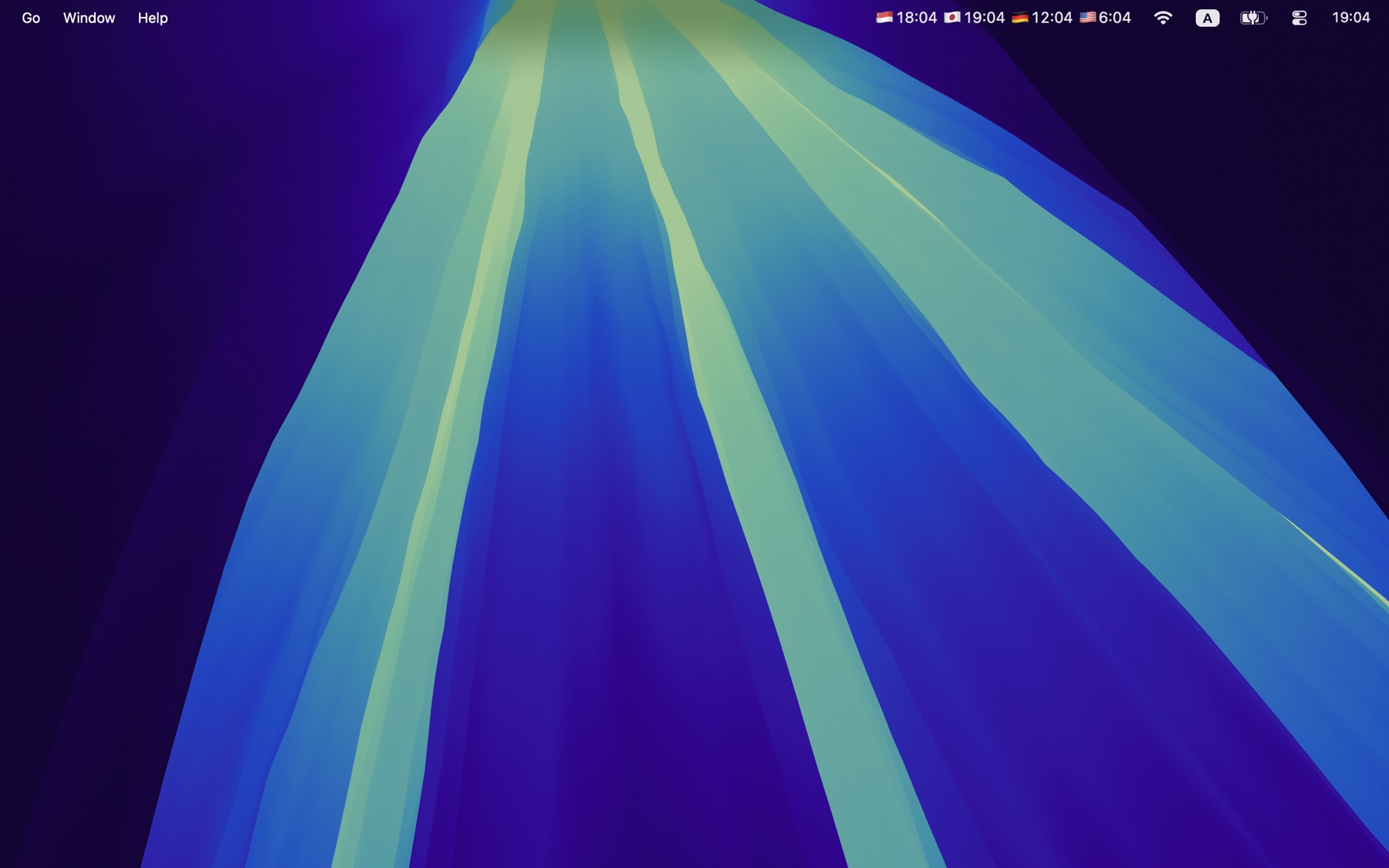
Every timezone you care about, always in your menu bar. Convert any date in any app without breaking focus.
Free to download · One-time Premium unlock · macOS 14.6+
Unlimitedworld clocks
Localdate processing
One clickto check the world
No subscriptionfor Premium
Built for the way you work
No windows. No clutter.
No timezone math.
Times stays quietly in the menu bar until a date needs your attention. Then every place that matters is already there.
Always-on clocks
Know who’s awake before you hit send.
Keep Tokyo, London, New York, or every office on your team beside the system clock. Day and night indicators make the answer instant.
- Every timezone and country
- 12-hour or 24-hour display
- Flags, country codes, or no indicator
Convert from anywhere
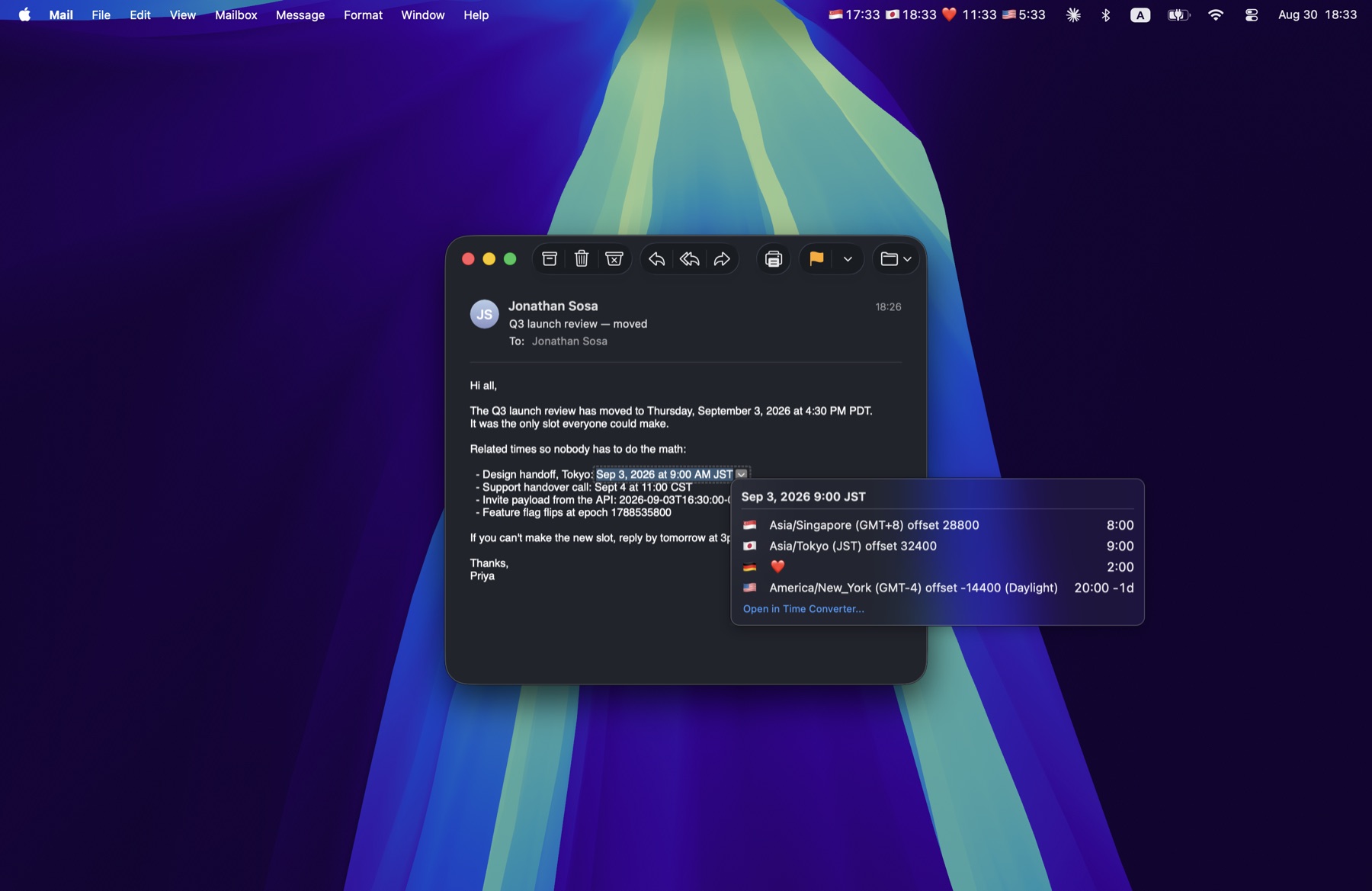
A date in an email. Every local time in a shortcut.
Select a date in Mail, Slack, your browser, or a calendar invite. Press ⌥⌘T and Times shows that moment across every clock you track.
Your selected text never leaves your Mac.
Make it yours
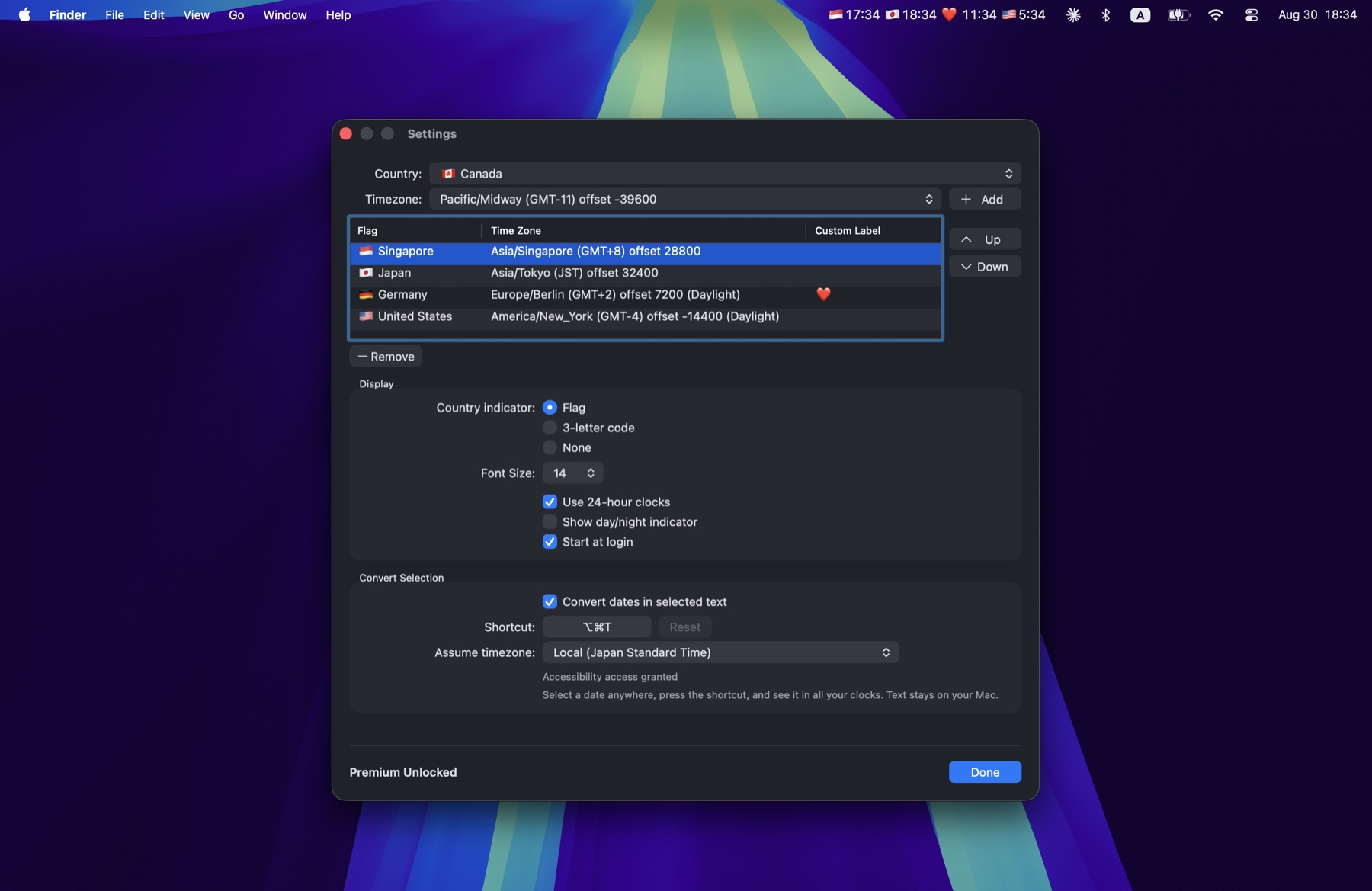
Your clocks should speak your language.
Name a clock “Tokyo office,” “Mom,” or simply ❤️. Reorder it, resize it, and choose exactly how much detail belongs in your menu bar.
Private by default
Your time is yours.
No tracking. No ads. No accounts. Dates you select are processed on your Mac and are never sent to us.
Read the privacy policy
Made for Mac
Stop counting hours.
Start catching moments.
Times is free to download. Unlock advanced features once, keep them forever.
Download Times